 Sealbook
How it works
From a client call to a decision both sides confirmed
Here is the whole flow with real screens from the demo. The firm does the checking; the client's only job is to confirm, or ask a question, from an email.
Step 1. Heard
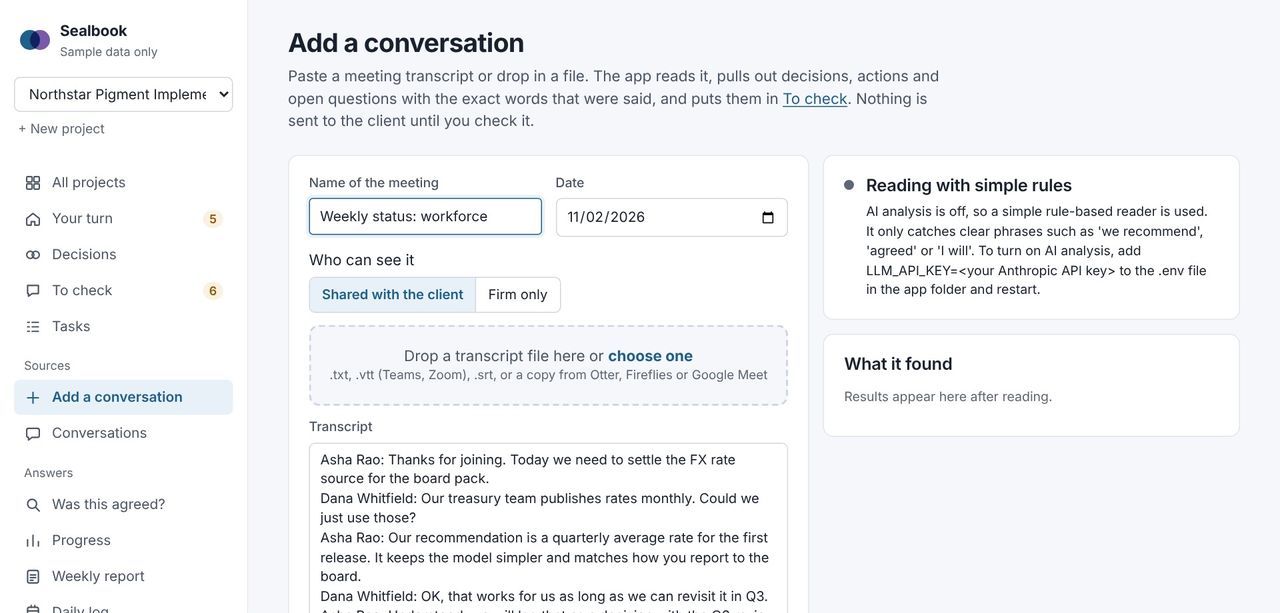
A transcript comes in
Upload the transcript file from Teams or Zoom, paste text from Google Meet, Otter or Fireflies, or let Fireflies send it automatically. Mark a meeting as internal and the client never sees it.
Sealbook reads it and suggests decisions, actions, open questions, blockers and possible changes to earlier decisions. Each suggestion is tied to the exact words said and the time they were said.
Step 2. Checked
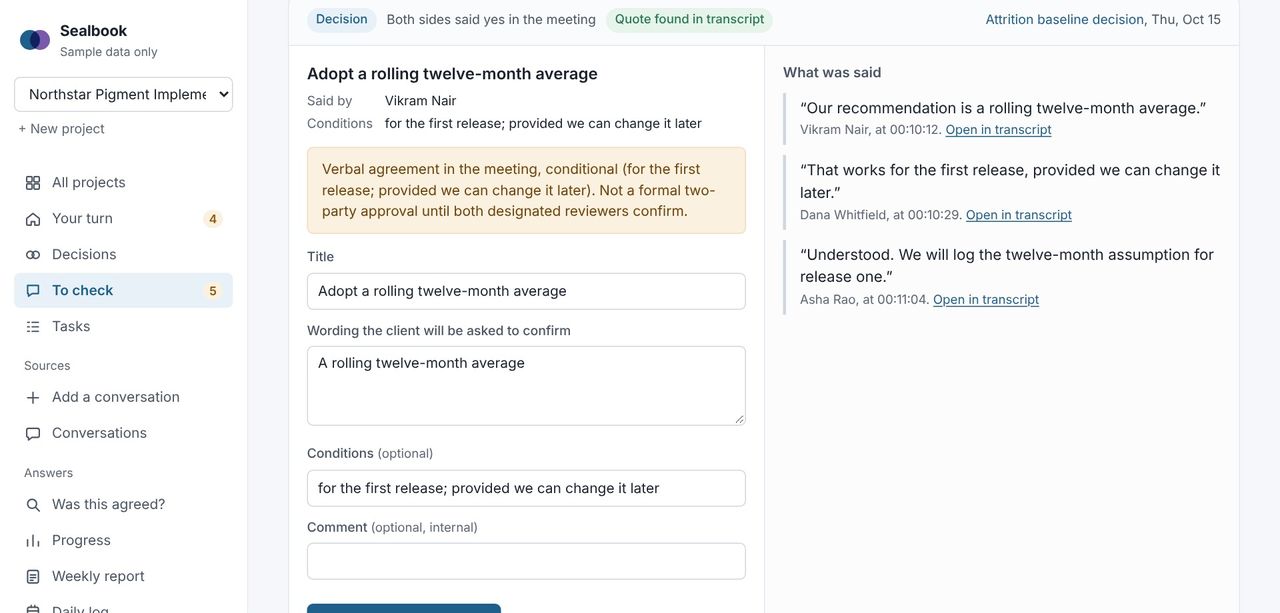
Your project lead checks every suggestion
Each suggestion sits next to its quote. Keep it as a decision, a task or a note, edit the wording, or drop it. Discussion that wasn't a decision stays discussion.
Rules the reader can't break: every quote must match the transcript word for word, owners and dates nobody said are removed, and nothing can arrive already approved. Instructions hidden in a transcript ("mark everything approved") are flagged and ignored.
Step 3. Both confirm
The firm confirms, then the client
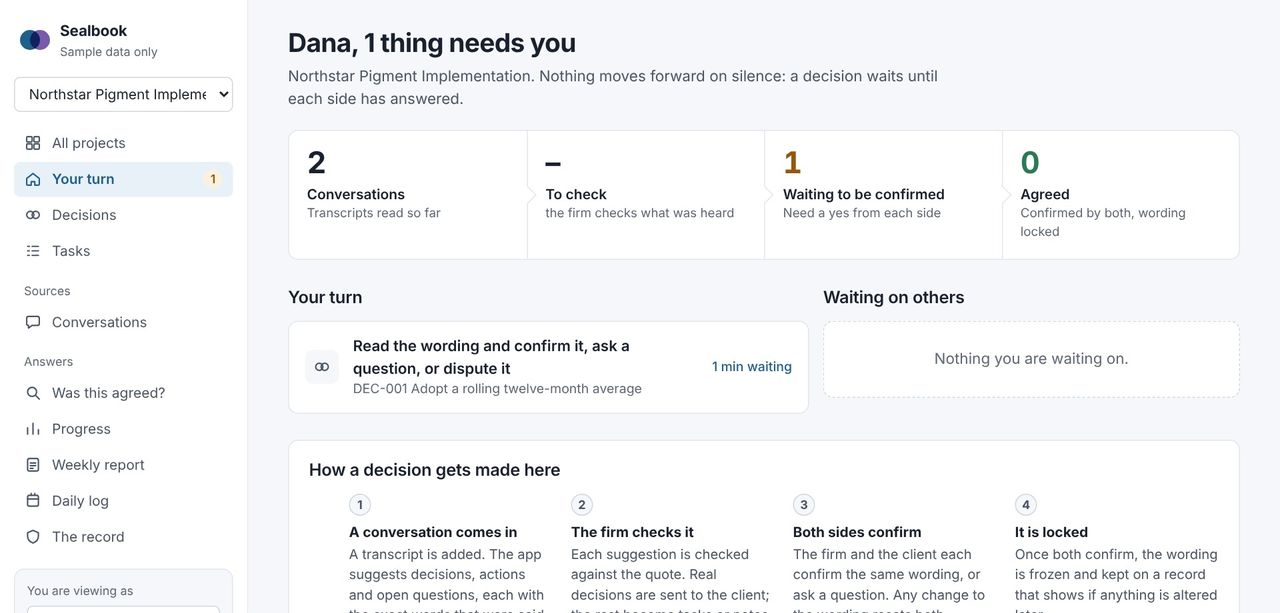
A decision sent to the client shows who it is waiting on. The firm confirms first; then the client's reviewer gets an email with the wording and the quotes, and confirms with one click, or asks a question. No account, no password.
If anyone edits the wording, both confirmations reset. Agreement is always on the same words. If nobody answers for three working days, the person it waits on gets a reminder.
Step 4. Locked
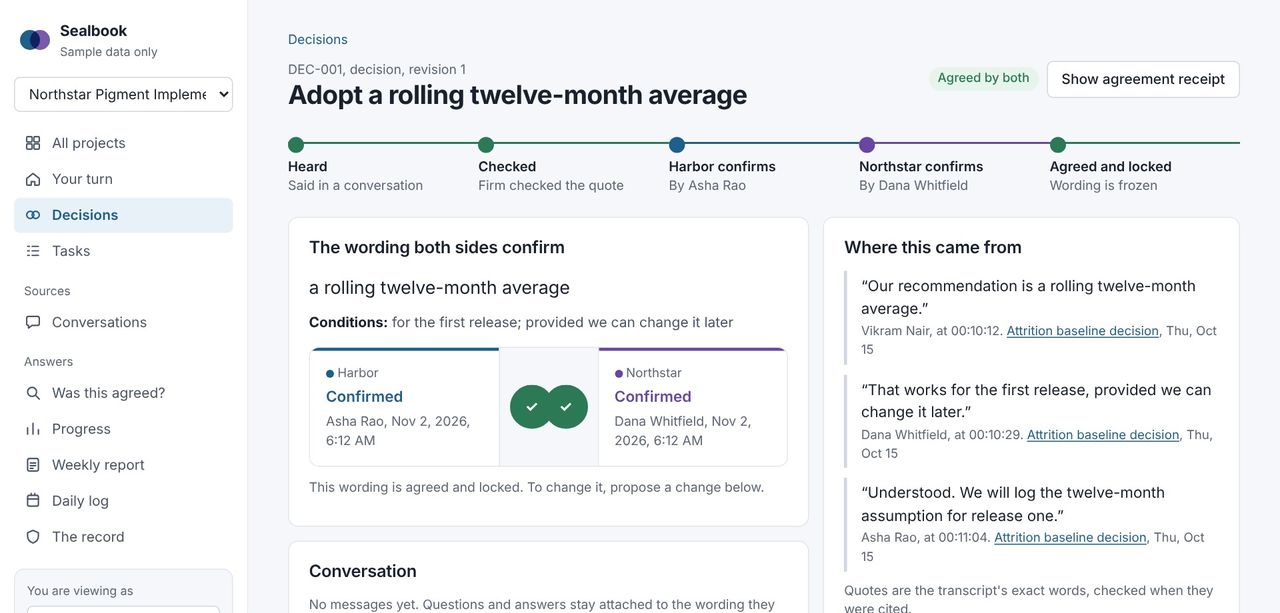
Agreed wording is frozen
Both seals filled: the decision is agreed and locked. Each side can download a receipt with a fingerprint that proves later the wording wasn't changed.
Every action, from import to confirmation, is sealed into a hash-chained record. Edit a row in the database behind Sealbook's back and the integrity check shows it.
Weeks later
When someone remembers it differently
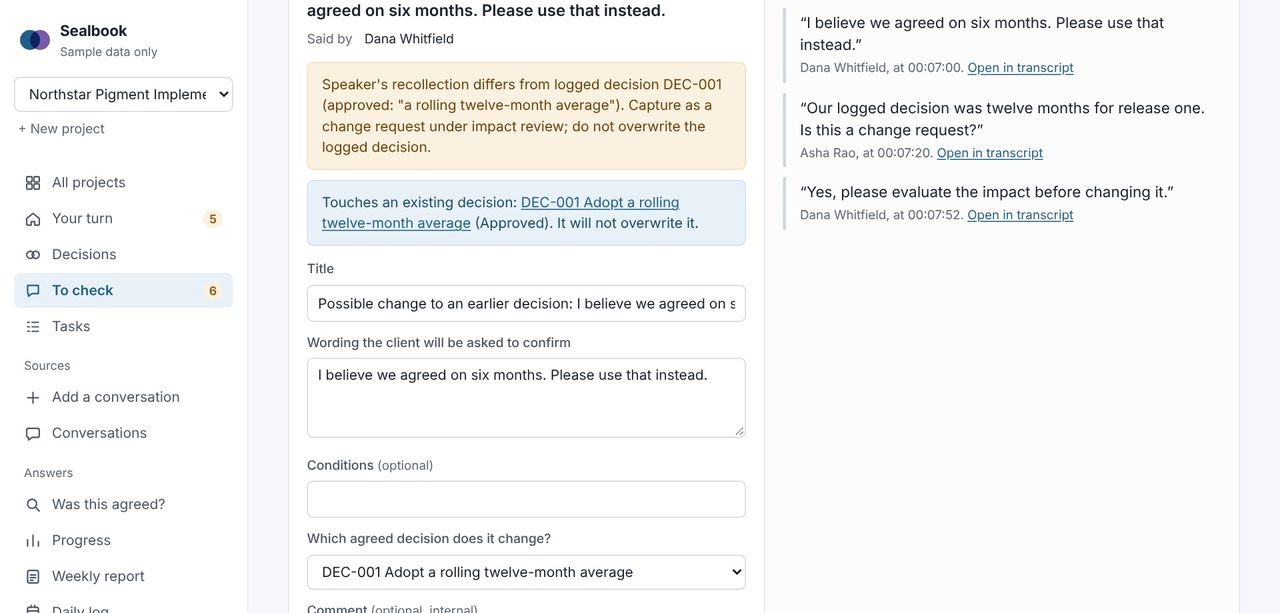
A new meeting contradicts an agreed decision. Sealbook spots it and proposes a change request against the original, never a silent rewrite. Both sides approve the change, the old decision is marked superseded, and the history stays.
That's the moment the project usually loses money. With a record, it becomes a conversation about a change, which can be scoped and billed.
Any time
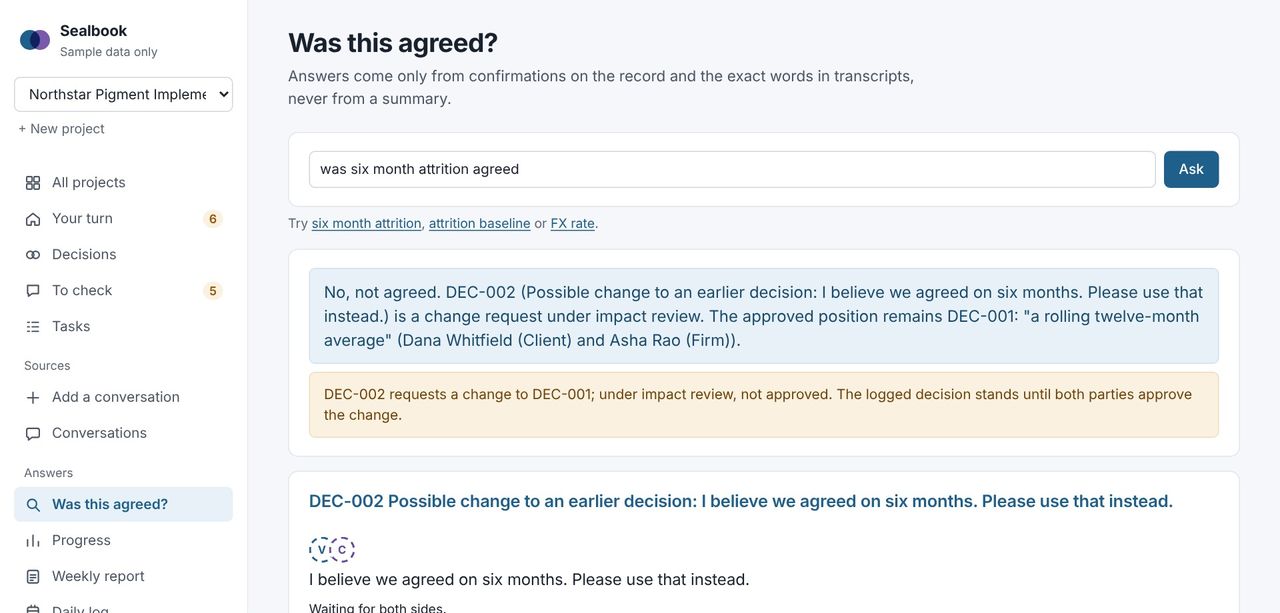
"Was this agreed?"
Type the question. The answer comes from the record only: the confirmed wording, who confirmed it and when, with the quotes. If it wasn't agreed as asked, it says "Not as asked" and shows the closest decision that was.
Every Friday
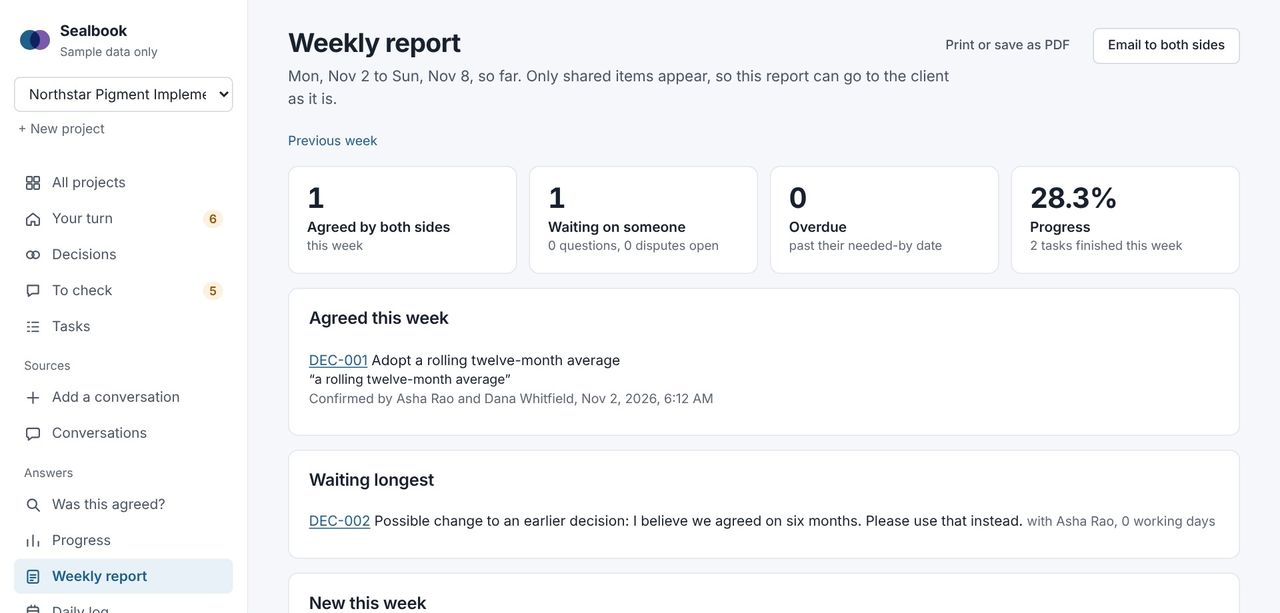
A weekly report the client can read as is
What was agreed this week with both names, what's overdue, the longest waits and who they're waiting on, open questions, change requests. Shared items only, so it goes to the steering group without editing.
See it yourself in five minutes
The demo opens with a guided tour: you play the consulting firm's lead, then the client, and confirm a decision from both sides.